1. Reduce Queues and Waiting Times
Long lines are a common challenge at busy ticket counters, especially during holidays, events, and peak travel periods.
A self-service ticketing kiosk allows customers to purchase tickets independently instead of waiting for an available cashier. Customers can follow on-screen instructions, select their preferred ticket, make a payment, and receive a printed ticket or digital confirmation.
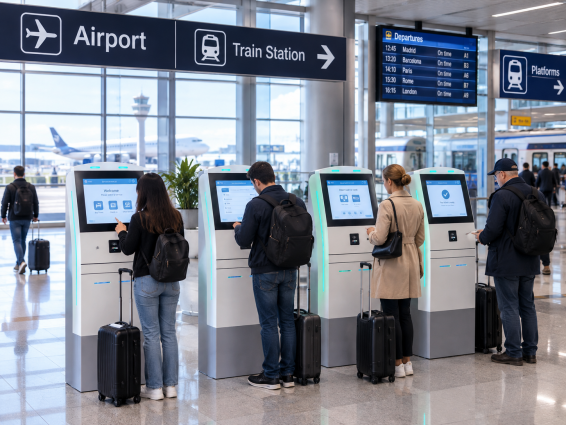
For cinemas, amusement parks, museums, and transportation stations, multiple kiosks can help distribute customer traffic across several service points. This can reduce pressure on staffed counters during busy periods, although the actual improvement depends on transaction speed and kiosk availability.
2. Provide Convenient, Flexible Payment Options
Customers have different payment preferences depending on their location and the type of service they are purchasing.
A modern ticket vending machine can support payment methods such as bank cards, contactless payments, mobile wallets, or cash, depending on its hardware configuration and local requirements.
For example, a tourist attraction may use a ticketing kiosk with card and QR code payment options, while a transportation terminal may require cash acceptance and change dispensing for travelers who prefer cash.
Offering appropriate payment choices helps businesses serve a broader range of customers and reduces unnecessary friction during checkout.
3. Extend Service Availability
Traditional ticket counters depend on staff availability and operating schedules. A self-service solution can provide another way for customers to purchase tickets outside normal counter hours.
An automated ticket kiosk can be deployed in locations such as hotel lobbies, transport terminals, parking facilities, and entertainment venues. When supported by the ticketing software and operating environment, it can serve customers during extended hours or around the clock.
This flexibility is especially useful for businesses that receive customers early in the morning, late at night, or during periods when staffing additional counters would be difficult.
4. Improve Customer Experience With a Simple Interface
Self-service technology works best when customers can complete a transaction without confusion.
A well-designed ticketing kiosk system can provide clear instructions, intuitive touchscreen navigation, multilingual interfaces, and easy-to-read ticket options. Customers can review available choices at their own pace before confirming a purchase.
For international destinations, airports, and tourist attractions, multilingual support can make ticket purchasing more accessible to visitors who do not speak the local language.
Businesses should also consider screen readability, accessible controls, clear error messages, and alternative assistance for customers who need help using the machine.
5. Handle Peak Traffic More Efficiently
Customer demand often fluctuates throughout the day. Concert venues, stadiums, theme parks, and public transportation operators may experience sudden increases in ticket purchases before scheduled activities.
A ticket dispensing kiosk can help businesses add self-service capacity without relying entirely on additional staffed counters. Depending on the system, it may support ticket selection, booking reference scanning, barcode or QR code validation, and ticket printing.
For event organizers, integration with an existing ticketing platform can also help keep ticket availability and transaction records synchronized. The software must support the required workflow to prevent duplicate issuance or invalid tickets.
6. Support Better Operational Management
The benefits of a ticketing kiosk extend beyond the customer-facing transaction.
A connected ticketing kiosk solution may provide sales records, transaction reports, machine status information, and remote monitoring capabilities. These functions can help operators review usage patterns, identify equipment issues, and plan maintenance.
For businesses managing kiosks across multiple locations, centralized monitoring can make daily operations easier to coordinate. Integration with ticketing, reservation, payment, and access control systems may also help create a more connected customer journey.
7. Where Can Ticketing Kiosks Improve Service?
Different industries can use ticketing kiosks to address specific customer service challenges:
- Transportation stations:Sell travel tickets and help passengers avoid ticket-counter queues.
- Cinemas and entertainment venues:Support ticket purchases and reservation collection.
- Tourist attractions and museums:Provide self-service admission tickets and multilingual purchasing.
- Theme parks and stadiums:Handle ticket demand during peak visitor periods.
- Parking facilities:Issue parking tickets or connect ticketing with payment and access systems.
- Events and exhibitions:Support registration, ticket collection, and barcode or QR code workflows.
The right configuration depends on the transaction type, customer volume, payment requirements, and existing software infrastructure.
Choosing the Right Ticketing Kiosk
A successful ticketing solution should be designed around the customer journey. Businesses should evaluate touchscreen size, ticket printer specifications, payment methods, barcode or QR code scanners, software compatibility, security, remote management, and maintenance requirements before selecting a system.
At Diversity Kiosk, we provide customizable self-service kiosk hardware and integration options for different applications. Contact us to discuss your ticketing workflow, peripheral requirements, and software integration needs, and explore a kiosk solution tailored to your project.